
Using Images and Artboards as Fills in Rive: Repeat, Mirror and Create Patterns
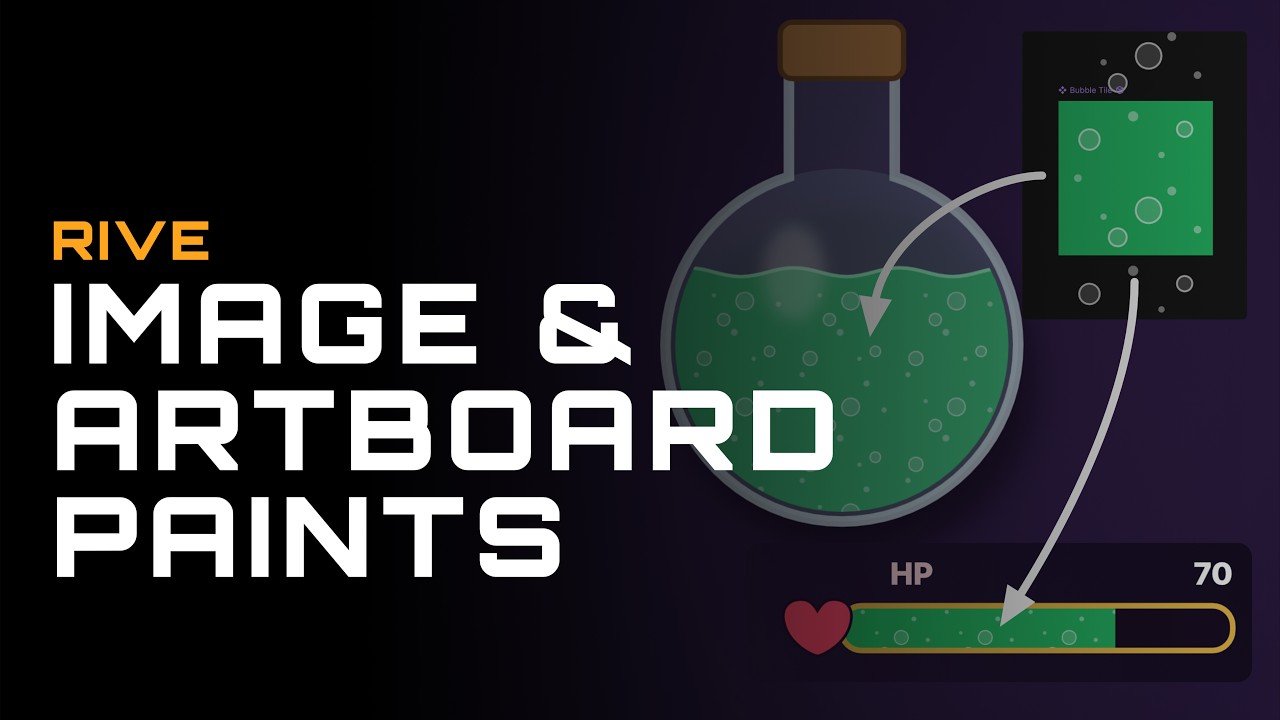
Rive keeps changing what designers and developers can build inside one interactive animation tool. One of its most useful recent updates is the ability to paint any fill or stroke with an image or a whole artboard. Until now, shapes in Rive could only be colored with solid colors or gradients. Now you can treat a bitmap texture, an illustration or even a fully animated artboard as paint and apply it to any vector shape in your file.
This short official tutorial from the Rive team shows how the feature works. You’ll see how to set an image or artboard as a fill, apply it to strokes, and use wrap settings to decide how the paint behaves inside a shape. The two main wrap options are repeat and mirror. Repeat tiles the source over and over to make a seamless pattern. Mirror flips each tile so the edges meet cleanly, which gives you symmetrical, kaleidoscope-style results without extra setup.
Why image and artboard fills matter
Building textures and patterns in Rive used to take workarounds. You stacked clipping masks, duplicated shapes by hand, or exported finished assets from other software. That made files heavier, slowed down iteration and made later changes harder. With image and artboard fills, the pattern lives right on the shape. Change the source and every shape that uses it updates.
The artboard option is especially powerful. An artboard in Rive can hold its own animations and state machines, so your fill doesn’t have to be static. Picture a button whose surface carries a slowly moving gradient pattern, a progress bar filled with animated stripes, or a hero background where tiled shapes pulse when the user hovers. These effects used to take a lot of manual work, and now they come down to a few settings.
Practical use cases
Image and artboard fills open up a wide range of real-world uses:
- Web hero sections and landing pages: animated pattern backgrounds that stay lightweight and sharp at any screen size.
- Mobile app onboarding: textured illustrations and branded patterns that respond to swipes and taps.
- Game UI: health bars, badges, frames and menus with repeating textures, without loading many separate image files.
- Product and SaaS interfaces: subtle animated surfaces on cards, toggles and loaders that make an interface feel polished.
- Brand animation: logo reveals and marketing visuals where a brand pattern or texture fills the lettering or shapes.
- Strokes with character: outlines that carry a pattern or texture instead of a flat color, for illustration-style or hand-crafted looks.
Performance and workflow benefits
One of Rive’s biggest strengths is the small file size and smooth runtime performance of its animations. Fills like these fit that approach. One small tile repeated across a large area keeps assets compact, and reusing artboards means you design a pattern once and use it in as many places as you need. For developers, the result is still a single Rive file that runs on web, iOS, Android, Flutter, React and popular game engines, with interactivity driven by state machines and data binding.
For designers, the workflow is faster and more flexible. You can try different textures, tile sizes and wrap modes in seconds, preview the result live and hand off a production-ready file without rebuilding anything in code.
How I use features like this in client projects
As a motion designer and Rive animator with over ten years of experience in animation, I follow new Rive features closely, because each one gives my clients more options and better results. Image and artboard fills let me create richer, more distinctive interactive animations: animated brand textures, playful UI elements and pattern-based backgrounds. They stay light, scale cleanly and are easy for development teams to integrate.
Whether you need an interactive website animation, an animated app interface, game UI elements or a custom Rive mascot, I can design and build it from concept to final file, ready for your developers.
Ready to bring your interface to life?
If you want your product to stand out with smooth, interactive Rive animation, get in touch to discuss your project. Tell me what you’re building, and I’ll suggest the best way to turn it into an animation your users will remember.