
UI Animation and Mascot Animation
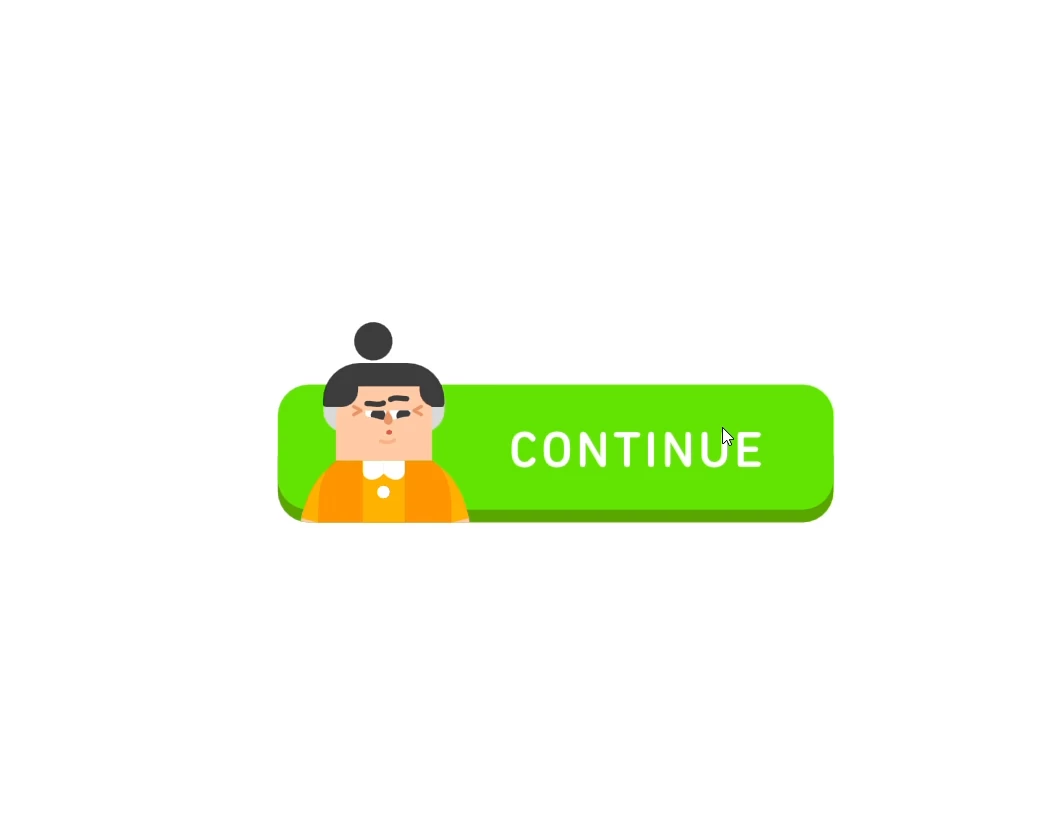
An interactive button animation built in Rive: a small mascot sits on a bright green “Continue” button and reacts as users hover and tap, with a raised eyebrow, a squint and a bouncing hair bun. It turns a plain call-to-action into gamified UI feedback for learning apps, onboarding flows and casual games, all in one lightweight .riv file.
Challenges & Objectives
The asset combines a vibrant, bright green call-to-action button with a vector-based character mascot on the left. The character features a distinct blocky head shape, dark hair tied in a top bun, an orange top with a white collar, and a slightly skeptical or determined facial expression. This layout bridges the gap between static user interface elements and dynamic, reactive animation nodes.
Asymmetric Component Rigging: Connecting a character asset to a standard UI button container requires an intricate rigging hierarchy so that hover or click interactions affect the button body and the character mascot simultaneously without breaking the layout.
Text and Asset Balancing: Maintaining clean legibility and precise tracking for the uppercase bold “CONTINUE” text while managing the spatial constraints imposed by the character’s overlapping geometric torso.
Micro-Expression Timing: Animating subtle facial features such as a small eyebrow shift, eye squinting, or hair bun bounce within a very short interface interaction window to avoid delaying the core user journey.
Develop a cohesive, interactive call-to-action component.
Implement distinct interactive states, ensuring that when a user interacts with the green call-to-action area, the character responds with synchronized micro-movements.
Ensure clean asset separation between the text layer, the button background, and the character components to support lightweight runtime integration.
Combining modern vector design with tactile interface feedback, the final asset offers a delightful, personality-driven navigation element that elevates the user experience in onboarding, level completion, or lesson transitions.
The button and character share one state machine in Rive, so hover, press and release each trigger a matching reaction from the mascot. Listeners on the button area handle the interaction inside the file, and developers can hook the press event to move to the next screen. The text stays crisp at any size, and the .riv file runs on web, Flutter, React Native, iOS and Android.
Want gamified buttons or UI for your app? See pricing or get a quote. More UI work: Toggle button animation, Magic button interaction.